 Mewah Translator
User guide
Phone translation
Dial an international number and choose what to translate during the call.
Steps
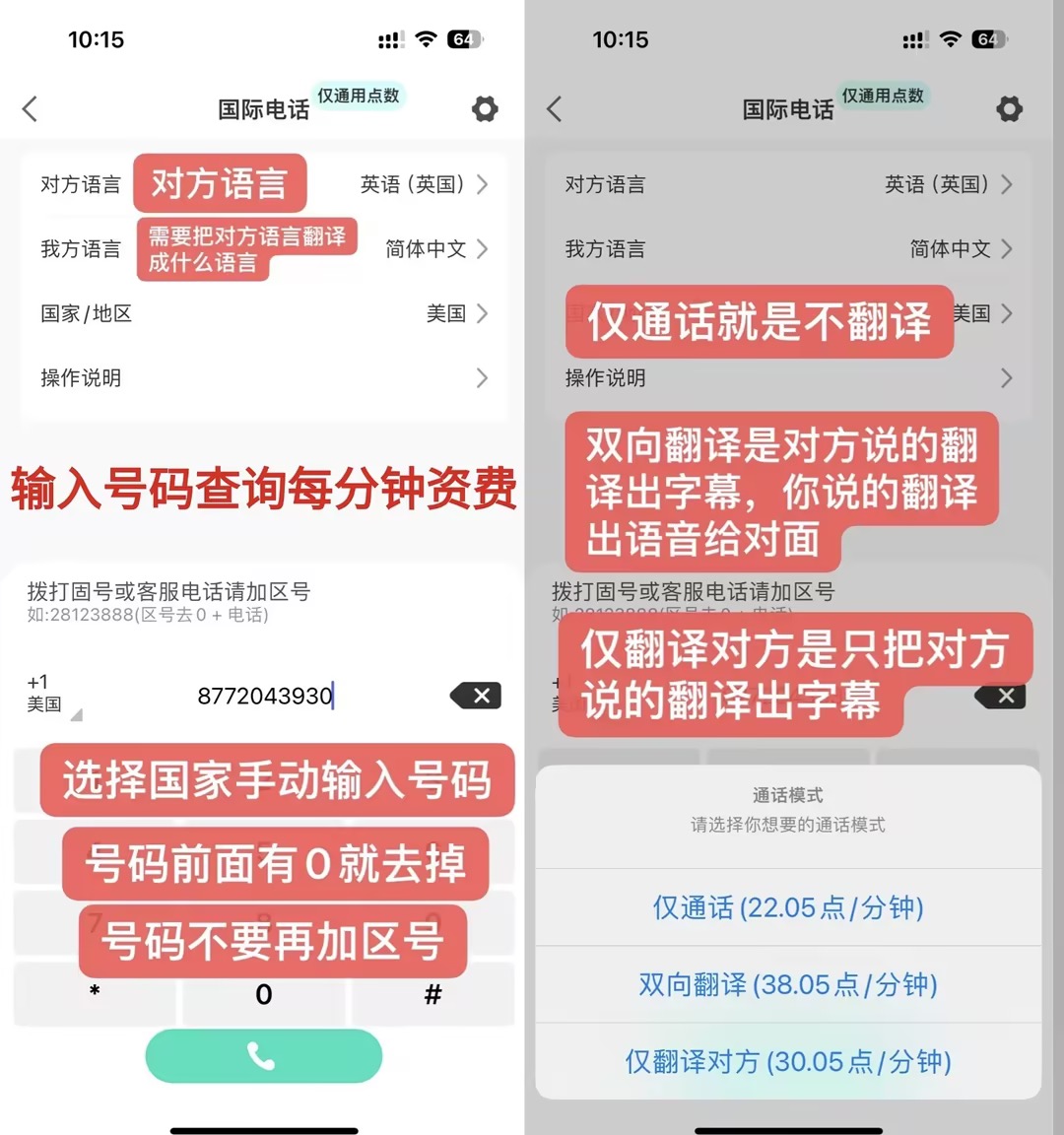
- Open Phone Translation. Select the country or region and both languages. Type the number without the country code, which the app adds. If it starts with a domestic trunk prefix of 0, omit that prefix as shown in the manual.
- Tap Dial and choose a mode. Call only leaves speech untranslated. Translate the other person shows the translation of incoming speech. Two-way translation also plays your translated speech to the other caller.
- With translated audio only, the other person hears the interpreted voice. For a phone menu, open the dial pad, enter the digits and press #.
App screenshots
Select an image to enlarge it. The app screenshots retain their original language.