 Mewah Translator
User guide
Audio and video transcription
Android onlyUpload a media file and find the transcript or translation in History.
Steps
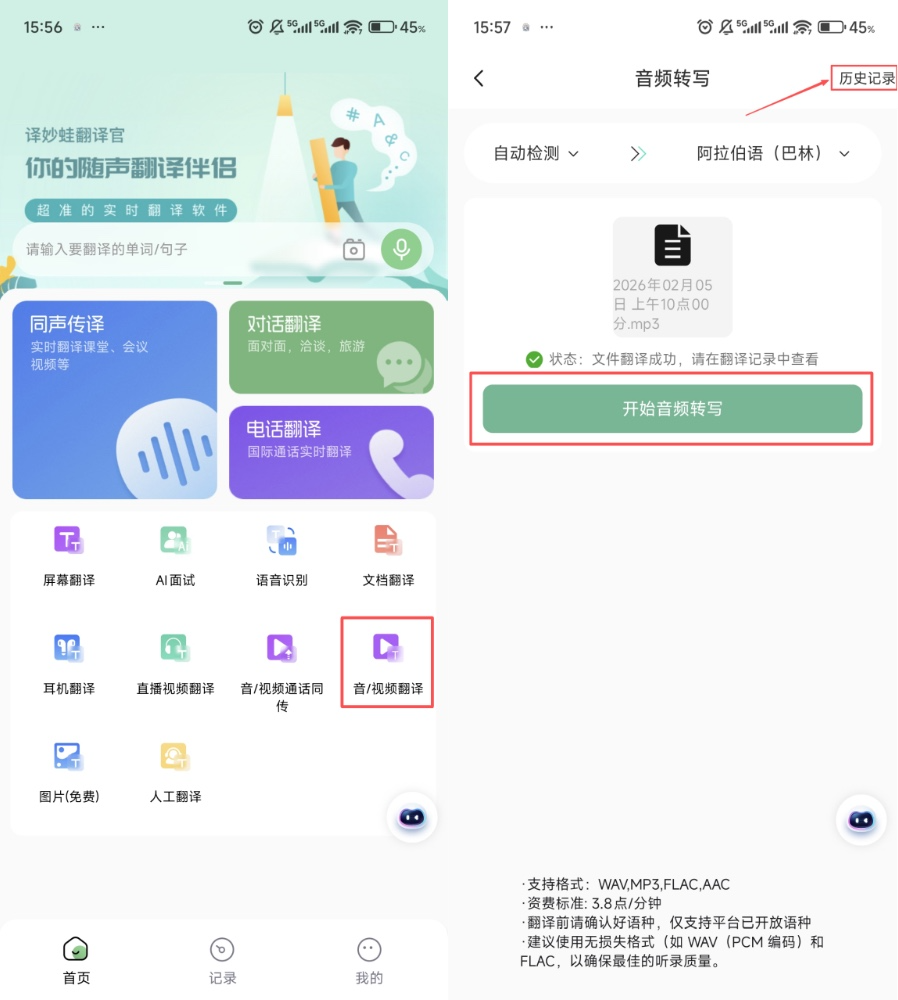
- Open Audio/Video Translation on Android and set the spoken and target languages.
- Start transcription and upload the file.
- When processing finishes, open History in the upper-right corner to review the result.
App screenshots
Select an image to enlarge it. The app screenshots retain their original language.