 Mewah Translator
User guide
Live video translation across apps
Follow a video or stream in another app with floating translated captions.
Steps
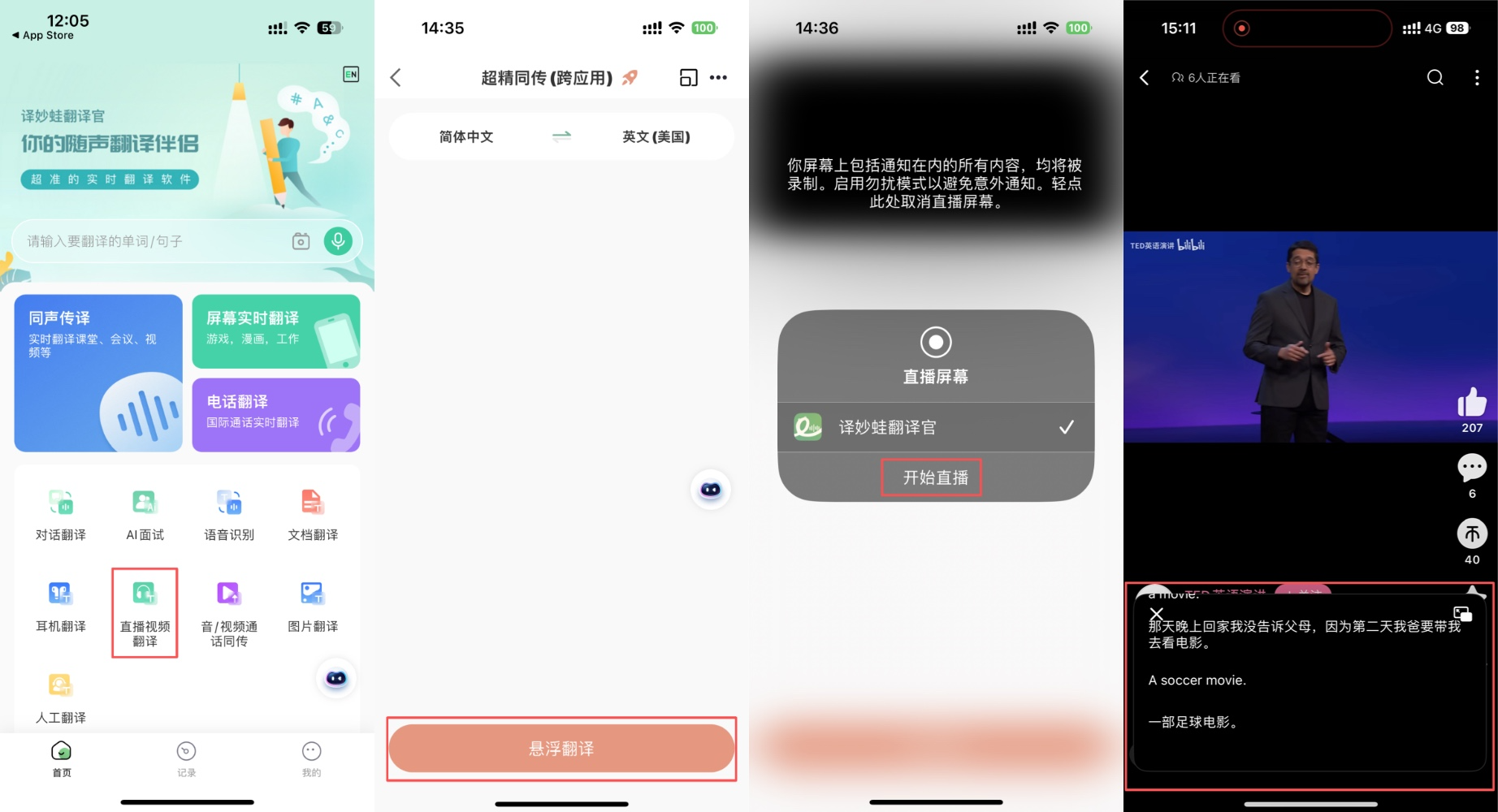
- Open Live Video Translation, select high-precision interpretation and choose the spoken and target languages.
- Enable floating translation and start the broadcast. Wait for the countdown.
- Switch to the app playing the audio or video. The floating window will show translated captions.
App screenshots
Select an image to enlarge it. The app screenshots retain their original language.