 Mewah Translator
Steps
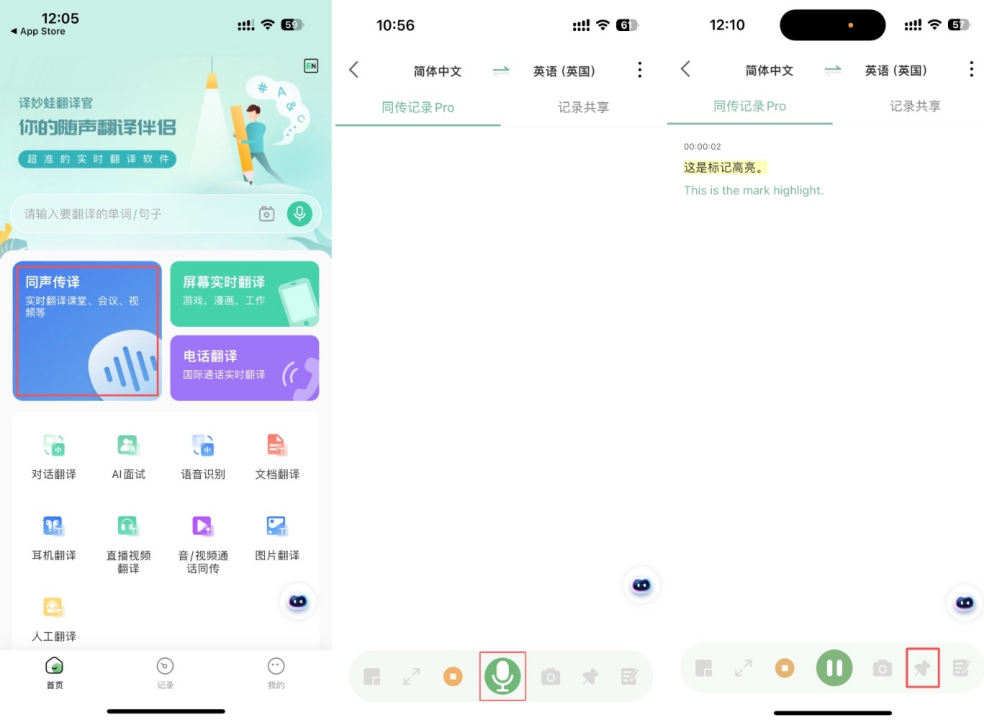
- Open Live Interpretation and choose a mode, such as high-precision interpretation. Set the spoken and target languages.
- Tap Start to read the two languages as people speak. Use the start/pause control to pause and resume.
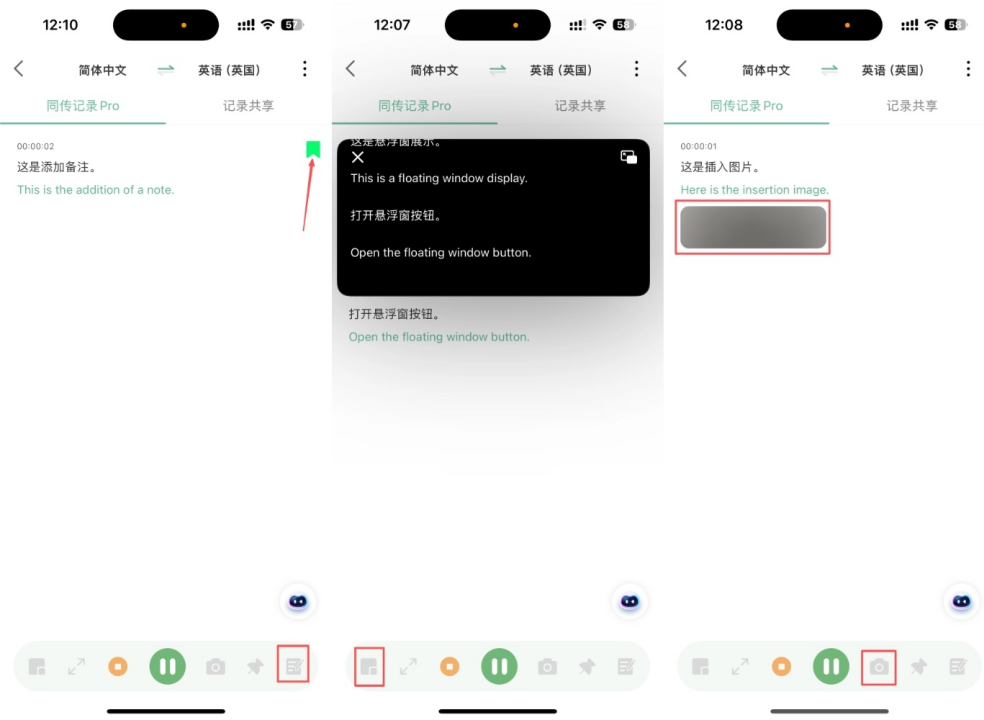
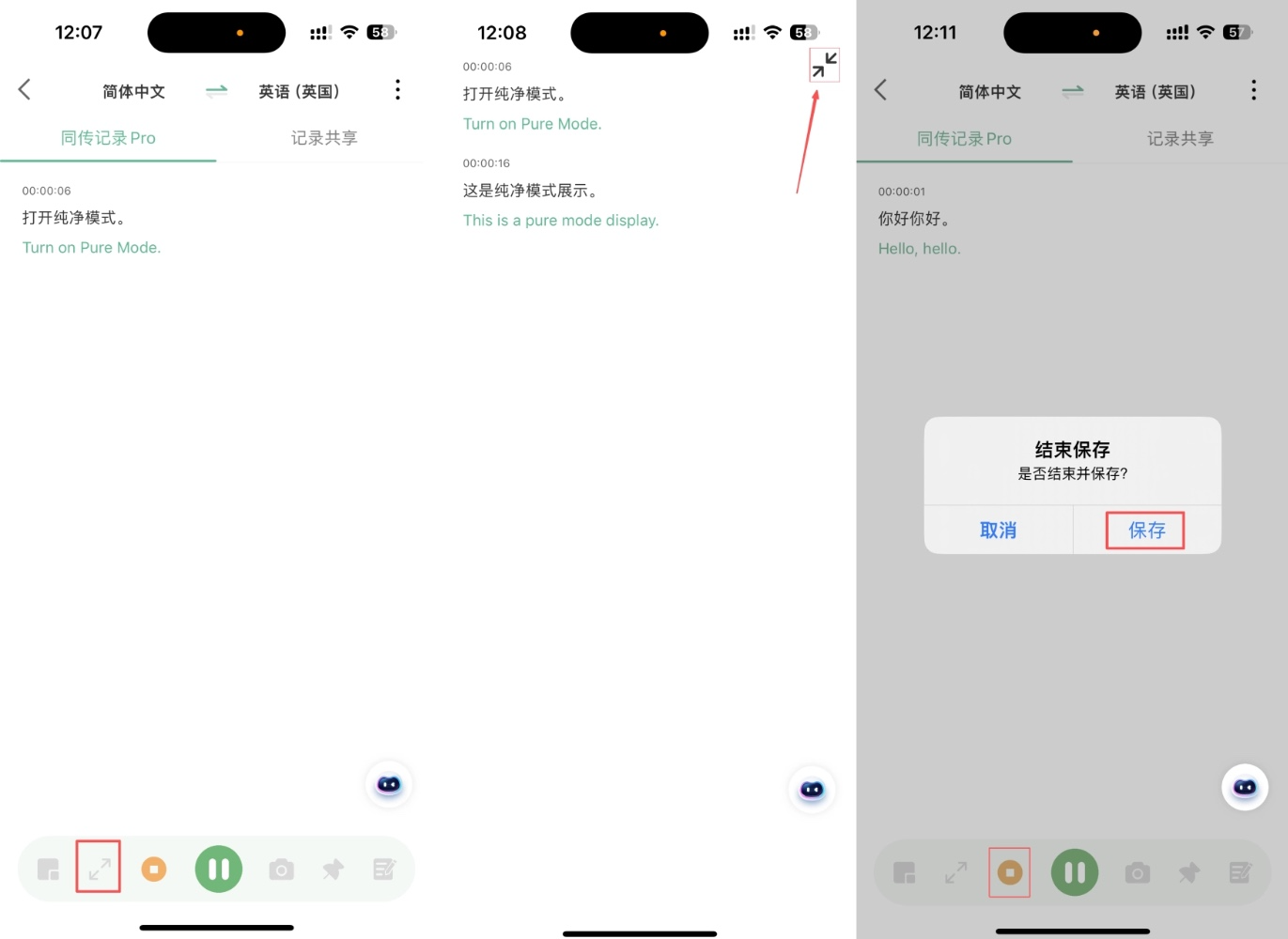
- Mark an important passage, add a note or insert a photo into the record. Use the floating window if you need captions over another screen.
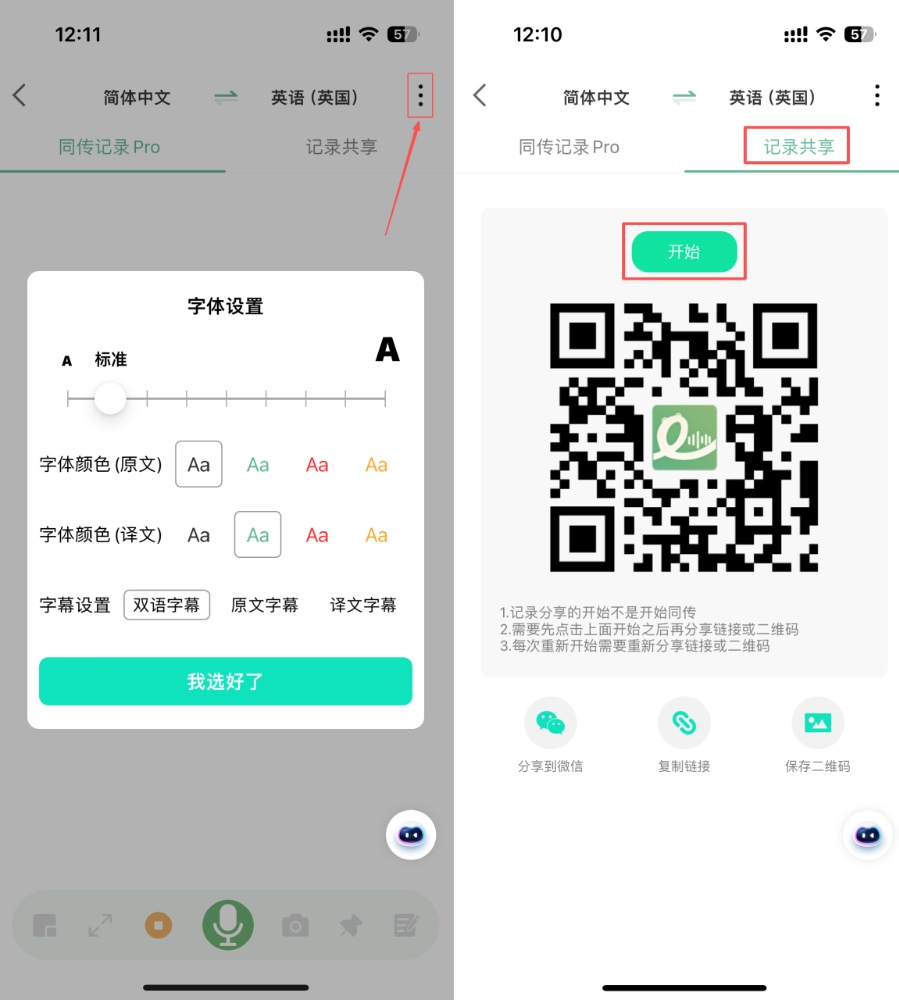
- Use the settings to adjust the caption font size and color. Tap End to save the record.
- To let others follow along, start Record Sharing during the session and send them the link it generates.
App screenshots
Select an image to enlarge it. The app screenshots retain their original language.