 Mewah Translator
User guide
Document translation
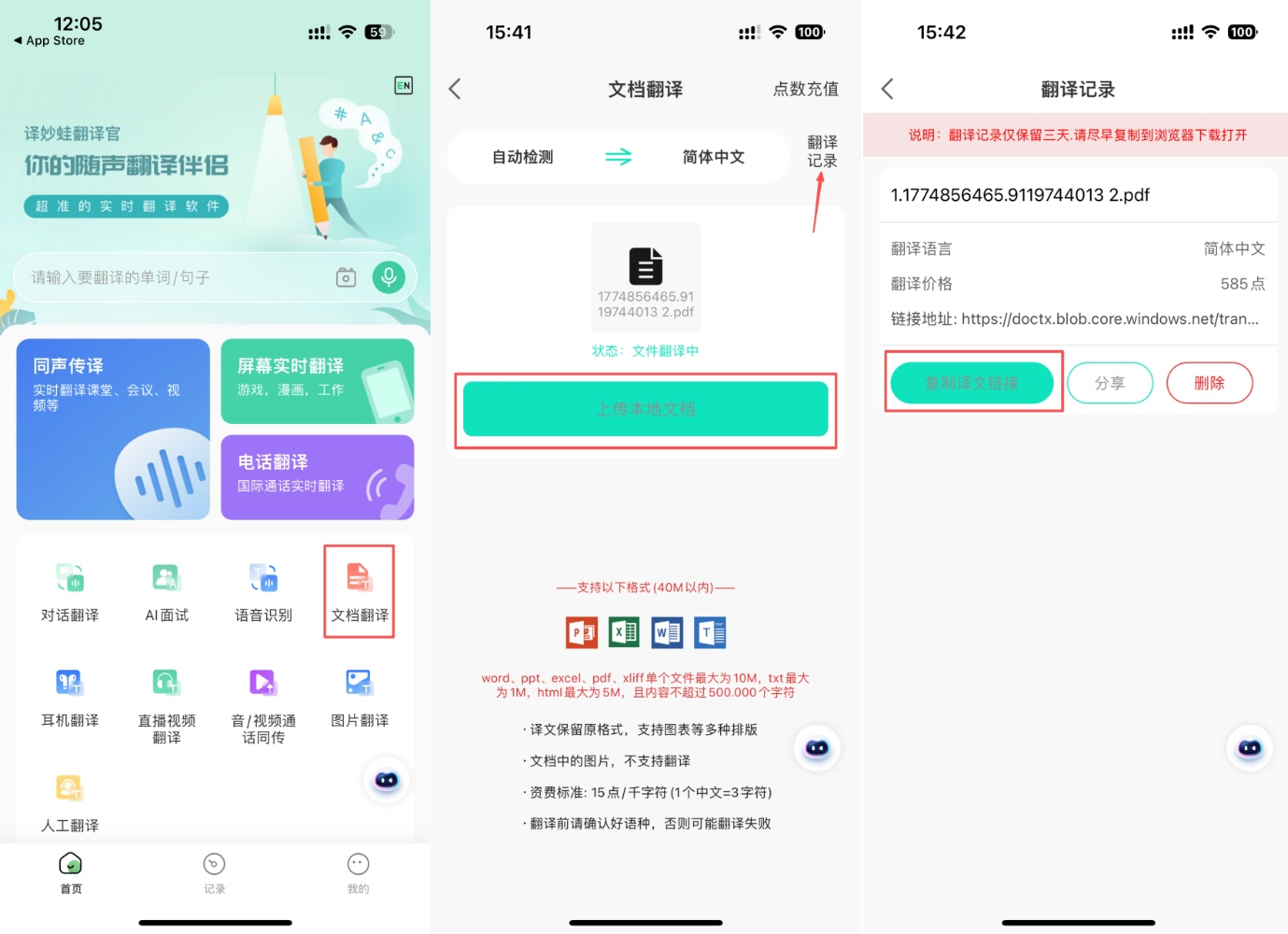
Upload a document and retrieve the translated file from the app’s history.
Steps
- Choose the source and target languages in Document Translation and upload a file.
- Once it is ready, find the file in Translation History.
- Copy the download link and open it in your browser to download the translation.
App screenshots
Select an image to enlarge it. The app screenshots retain their original language.