 Mewah Translator
User guide
Conversation translation (classic interface)
Follow these steps if your app shows a button to start interpretation.
Steps
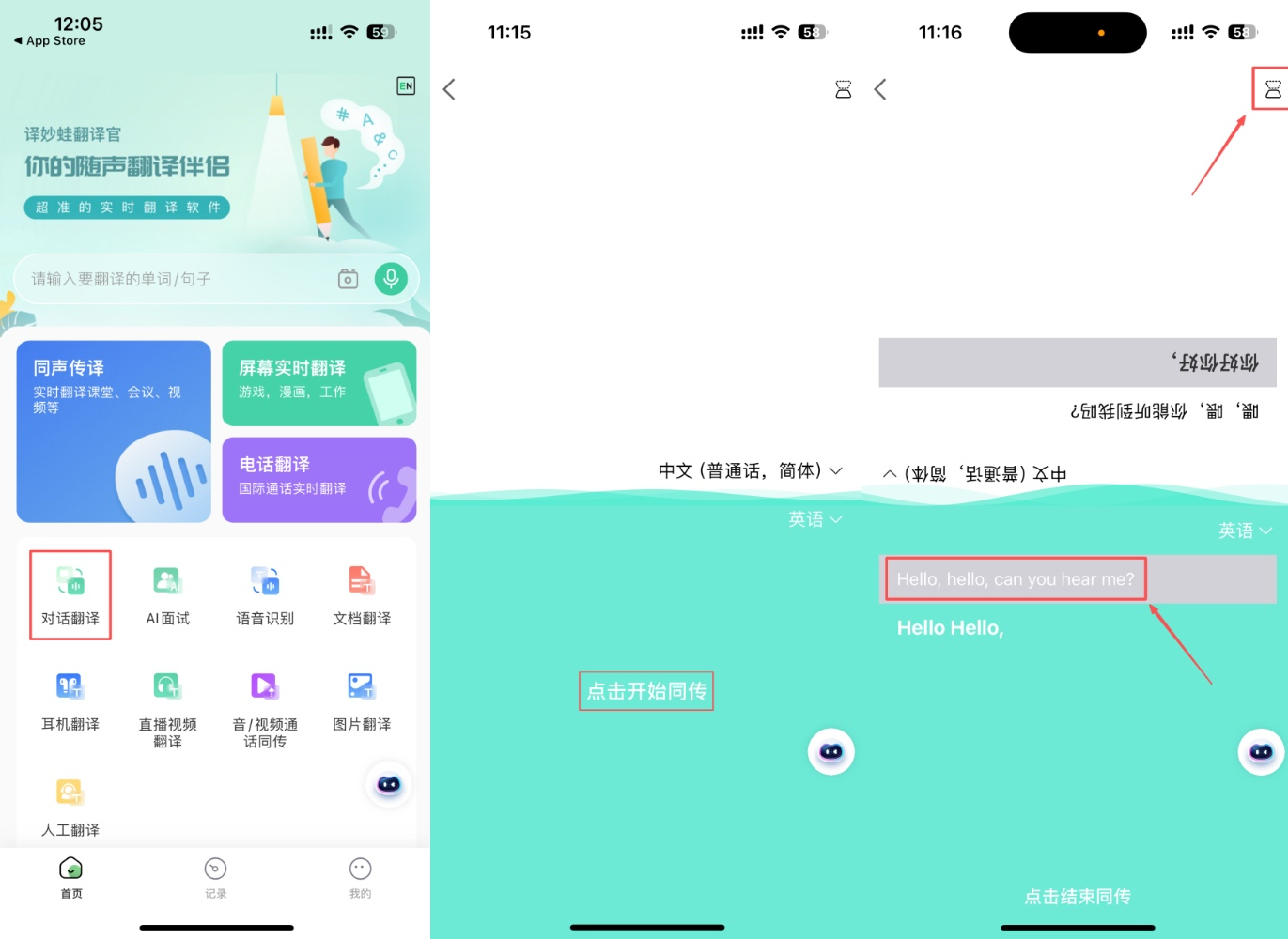
- Open Conversation Translation and set the two languages.
- Start interpretation and speak. Tap any translated caption to hear it.
- Use the control in the upper-right corner to rotate the display for the other person.
App screenshots
Select an image to enlarge it. The app screenshots retain their original language.